The StrongLifts 5x5 app plans every workout of the 5x5 barbell program for you and adds weight automatically each time you complete all your sets. It is not free: StrongLifts is free to download but requires a subscription to use, priced at $11.99 a month or $59.99 a year in the US App Store, with a 7-day free trial on the yearly plan only. Our verdict: it's still one of the best ways to start barbell training, but once linear 5x5 progress stalls (and StrongLifts' own guide says it will), you're paying a premium for a program you've outgrown.
Full disclosure: we make GymGod, a workout tracker built around progressive overload, so we've tried hard to be fair. StrongLifts did more than any other app to make automatic progression normal, and it deserves credit for that. Every StrongLifts fact below comes from its US App Store and Google Play listings, StrongLifts' own website, its 5x5 program guides and its support center, all checked in November 2026.
StrongLifts at a Glance
| Made by | Stronglifts Limited (Hong Kong), founded by Mehdi Hadim, who created StrongLifts in 2007 |
| Free version | No. Free to download, subscription required to use |
| StrongLifts Pro | $11.99/month, $29.99/quarter, $59.99/year (US App Store); 7-day trial on yearly only |
| Next weight calculated for you | Yes. Adds weight after you complete all sets, deloads after repeated failures |
| Programs | StrongLifts 5x5 and its variations, SL5x5 Intermediate, Madcow 5x5, or your own |
| Platforms | iPhone and iPad (iOS 18+), Apple Watch (watchOS 11+), Apple silicon Macs, Android |
| Ratings | 4.9 from 77K ratings (App Store), 4.2 from 101K reviews (Google Play, 1M+ downloads) |
US App Store and Google Play listings, StrongLifts' website and support center, checked November 2026.
How the StrongLifts 5x5 Program Works
The program behind the app is about as simple as strength training gets. StrongLifts' quick start guide lays it out as two full-body workouts that you alternate, three times a week with at least one rest day in between (most people train Monday, Wednesday and Friday):
| Workout A | Workout B |
|---|---|
| Squat 5x5 | Squat 5x5 |
| Bench Press 5x5 | Overhead Press 5x5 |
| Barbell Row 5x5 | Deadlift 1x5 |
Five sets of five reps at the same weight, five barbell lifts in total, and the squat in every session. Complete every rep at a given weight, and that lift goes up next time. That's the whole idea, and it's the reason the program works so well for beginners: it's linear progressive overload with no decisions to make. If you'd rather run a similar three-day plan with more exercise choice, our full body workout routine is a good place to start.
How the App Adds Weight (and Deloads) for You
This is where StrongLifts earns its reputation. The app calculates your starting weights, then runs the progression rules for you. According to StrongLifts' support center and app page:
- Complete all sets, and weight goes up: by default the app adds 5 lb the next time you do that exercise. You can change the increment and how often it's added, for example 2.5 lb every three workouts, or as little as 1 lb with fractional plates.
- Miss reps, and the weight repeats: you try the same weight again next session.
- Fail three sessions in a row, and it deloads: by default the app cuts the weight by 10% so you can work back up. You can change the percentage, how many failures trigger it, or turn it off.
- Take a break, and it eases you back in: after at least a week off, a "Welcome Back" prompt offers a deload you can adjust or skip.
StrongLifts says it was the first weightlifting app to automate progressive overload when it launched in 2011, and the rules are sensible. StrongLifts' own increments guide even warns that faster progression "is not recommended as it's unsustainable." For someone new to the barbell, having all of this handled is genuinely valuable.
What the StrongLifts App Does Well
- Zero planning for beginners: it alternates workouts A and B, picks your weights and tells you when to rest. You walk in, follow the screen and leave.
- One-tap logging: tap a red circle to complete a set, tap again to log fewer reps. The rest timer starts on its own, and the app suggests a longer rest after a failed set.
- Warm-up and plate calculators: it works out your warm-up sets and tells you exactly which plates go on each side of the bar.
- A full Apple Watch app: log sets, get rest timer alerts and use the warm-up and plate calculators from your wrist, with Apple Health sync. An October 2026 update added body weight logging and more Apple Watch improvements.
- More than one program: beyond the basic 5x5 there are variations (Plus, Lite, Mini, Ultra and Ultra Max), plus SL5x5 Intermediate and Madcow 5x5, which pick up your weights from where 5x5 left off.
- Some customization: you can add assistance work, replace exercises with suggested variations, and create your own exercises from a library of 100+ with videos.
- Charts and PRs: graphs for weight, estimated one-rep max, volume and reps, plus a star each time you set a personal record.
- Cross-platform: iPhone, iPad, Apple Watch, Mac and Android, with sync between iOS and Android.
Where StrongLifts Falls Short
- No free version: both store listings say StrongLifts "requires a subscription to use." The trial is 7 days, and only on the yearly plan.
- It's expensive for what you run: $59.99 a year is a lot for a program with five main lifts that StrongLifts publishes for free on its website. There's no lifetime plan in the App Store list; the longest option is a 5-year plan at $199.99.
- Everything orbits 5x5: the pre-built programs, including Intermediate and Madcow, are all 5x5-based barbell programs. You can build your own program, but the app's templates and suggestions are designed around that one style of training.
- The progression model runs out: adding weight every session is a beginner's tool, and StrongLifts' own plateau guide says so (more below).
- Some long-time users are unhappy: several 2026 Google Play reviews from early buyers of the old one-time "Power Pack" complain that logging now requires a subscription. That helps explain the 4.2 Google Play rating against 4.9 on the App Store.
Is the StrongLifts App Free?
No, not anymore. StrongLifts' App Store and Google Play descriptions both say it's "free to download, but requires a subscription to use." New users get a 7-day free trial on the yearly plan; the monthly and quarterly plans have no trial. StrongLifts' website still says "Download Stronglifts for free," which is technically true and a little misleading.
The 5x5 program itself is free. StrongLifts publishes the workouts, the progression rules and free spreadsheets on its website, and you can run it with any workout log, a weight training log template or a notebook. What the subscription buys is the automation.
StrongLifts Pro Price in 2026
| Plan | Price (US App Store) | Free trial |
|---|---|---|
| Pro Weekly | $4.99/week | No |
| Pro Monthly | $11.99/month | No |
| Pro Quarterly | $29.99 every 3 months | No |
| Pro Yearly | $59.99/year | 7 days |
| Pro 5 Years | $199.99 (also listed at $239.99) | No |
The App Store doesn't explain why the 5-year plan appears at two prices, so check what the app shows you before you pay. On the yearly plan, StrongLifts costs about $5 a month, which is fair if the app keeps you progressing. The question is how long a 5x5 program will do that.
Does StrongLifts 5x5 Still Work in 2026?
For beginners, yes. Squatting, pressing and pulling heavy three times a week, and adding a little weight each session, is a proven way to get strong fast. Brand-new lifters can add weight almost every workout for weeks, and our data on how fast you can gain strength shows what a realistic first year of strength gains looks like.
But it doesn't work forever, and StrongLifts is refreshingly honest about that. Its plateau guide opens with: "Plateaus on Stronglifts 5×5 are inevitable. You can't add 5lb on the bar 2-3x/week forever." It does the math: 5 lb three times a week for a year would put an empty-bar beginner at an 825 lb squat. Somewhere well before that, the weights stop going up.
The guide also warns against what the app's deload rule can turn into: "endless deloads," where you fail, drop 10%, climb back to the same weight and fail again. In its example, a lifter stuck at 180 lb for six weeks has hit a true plateau. StrongLifts' advice is to make changes if you haven't progressed for several weeks, you've lost motivation or you're "dreading all the Squats": squat less often, add exercise variety and add volume for lagging lifts like the bench. Its packaged answer is SL5x5 Intermediate.
That's good advice. Notice what it amounts to, though: more exercises, different frequencies and a split built around your weak points. In other words, the fix for 5x5 is less 5x5. If you're stuck right now, our workout plateau guide and the What's Blocking Your Gains quiz will help you find the cause, and a planned deload week beats an endless cycle of 10% resets.
What to Do When StrongLifts Stops Working
You have three realistic options:
- Stay in the StrongLifts family: switch to SL5x5 Intermediate or Madcow 5x5 in the app. Both carry your weights over and are still built on 5x5 barbell lifts. A sensible choice if you love the barbell basics and don't mind the price.
- Move to a split: an upper/lower split or push/pull/legs gives each lift more recovery and room for the variety and volume StrongLifts itself recommends. Our guide to workout splits helps you pick one for 3 to 6 days a week.
- Keep the auto-progression, lose the fixed program: use an app that still calculates your next weight but lets you choose the lifts and the split. That's the gap GymGod fills.
Whatever you pick, keep your current numbers. Plug a recent 5x5 weight into our one-rep max calculator so your new program starts from where you really are, not from scratch.
The Best StrongLifts Alternative: GymGod
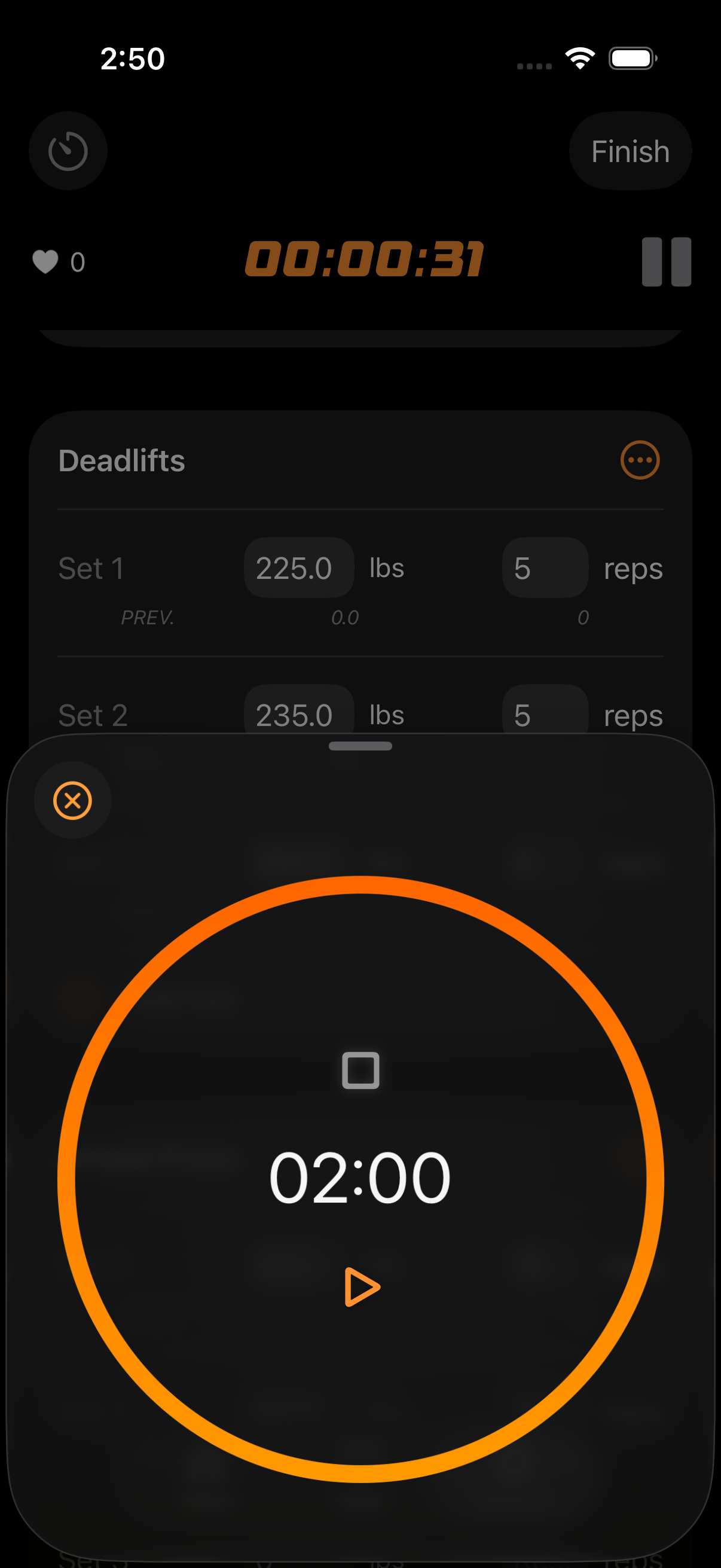
If StrongLifts taught you to love having your next weight picked for you, GymGod keeps that and drops the fixed program. Its AI coach builds you a routine in a few taps that stays consistent, so you can keep progressively overloading instead of starting over. Or run one of 9 proven programs, or build your own split. Your last workout appears on screen the moment you start an exercise, your next weight is already calculated, and every PR is caught automatically. It costs $3.99 a month, $24.99 a year, or $59.99 once, which is the price of one year of StrongLifts.
Why GymGod Is the Next Step After 5x5
- The same automatic progression: your next weight, already calculated. Targets rise from what you actually lifted, with recalibration prompts when you need them.
- Your lifts, your split: let the AI coach build your routine, run one of 9 popular strength programs with progression and rest times built in, or drag and drop exercises, set your own sets and rest, and plan your whole week.
- More than five lifts: 212 exercises with form guidance, filters by muscle group or equipment, and custom exercises, so the variety StrongLifts recommends for plateaus is easy to add.
- A coach that learns from your training: tips based on what you've actually lifted and a recap after every workout showing where you improved.
- Your last workout on screen: your last weights, reps and goals appear the moment you start an exercise, so you know exactly what to beat.
- PRs caught automatically, with full PR history, achievement badges, total volume stats and private progress photos.
- Built for iPhone and Apple Watch: log sets from your wrist with your phone in your pocket, plus Dynamic Island and Lock Screen updates, Apple Health and Siri Shortcuts.
- Private by design: no account, no email, no password. The AI coach runs on your iPhone with no cloud AI, and your data syncs through your own iCloud.
What GymGod Doesn't Do
To be straight about it: GymGod runs on iPhone and Apple Watch only, so there's no Android app, and the AI coach requires iOS 26 or later (StrongLifts runs on iOS 18). GymGod imports history from Strong, Hevy and Fitbod, but StrongLifts isn't on that list. And if you want an app that runs the 5x5 program exactly as written, warm-up sets and all, StrongLifts is built for exactly that.
What It Costs
StrongLifts is $11.99 a month or $59.99 a year, with no free version. GymGod is $3.99 a month, $24.99 a year or $59.99 lifetime, with full app access, including the AI coach, on every plan. Your first 3 workouts are free with no payment prompt and no account, then the yearly plan comes with a 1-week free trial.
StrongLifts vs GymGod
| Feature | StrongLifts | GymGod |
|---|---|---|
| Who plans workouts | The app, using 5x5-based programs, or you | AI coach (consistent routine), 9 proven programs, or you |
| Next weight calculated for you | Yes, adds weight after all sets completed | Yes, auto-progression |
| Automatic deloads | Yes, 10% after 3 failed sessions (adjustable) | Recalibration prompts when you need them |
| Exercise library | 100+ exercises with videos, custom exercises | 212 exercises with form guidance, custom exercises |
| AI coach | No | Yes, on-device (iOS 26+) |
| Apple Watch app | Yes | Yes |
| Android | Yes | No, iPhone and Apple Watch |
| Free to use | No, subscription required (7-day trial on yearly) | First 3 workouts free, then a 1-week trial on yearly |
| Price | $11.99/month, $59.99/year, $199.99 for 5 years | $3.99/month, $24.99/year, $59.99 lifetime |
StrongLifts: US App Store and Google Play listings, StrongLifts' website and support center, checked November 2026. GymGod: pricing and features.
Final Verdict
So, does StrongLifts hold up? As a beginner's app, yes. It plans every set, adds weight when you earn it, deloads when you don't, and has a solid Apple Watch app. If you're brand new to the barbell, on Android, and happy to pay $59.99 a year to have the 5x5 program run for you, it's a good choice for your first few months.
But this StrongLifts app review keeps landing on the same point StrongLifts makes itself: linear 5x5 progress runs out, and the fix is more variety and a better split. For most lifters, GymGod is the better long-term pick: the same automatic progression, but with your own lifts and split, an AI coach that builds a routine that stays consistent, your last workout on screen and PRs caught automatically, on iPhone and Apple Watch, for $24.99 a year or $59.99 once. Your first 3 workouts are free, so try it the next time your squat stalls. Comparing more options? See our guide to the best progressive overload apps.
Frequently Asked Questions
Is the StrongLifts app free?
No. StrongLifts is free to download but requires a subscription to use, according to its App Store and Google Play listings (November 2026). New users get a 7-day free trial on the yearly plan only. The 5x5 program itself is free on StrongLifts' website.
How much is StrongLifts Pro?
In the US App Store, StrongLifts Pro costs $11.99 a month, $29.99 a quarter or $59.99 a year. There's also a $4.99 weekly plan and a 5-year plan at $199.99, but no lifetime option.
Does StrongLifts 5x5 still work?
Yes, for beginners. Adding a little weight to five barbell lifts three times a week builds strength quickly at first. But StrongLifts' own plateau guide says plateaus on 5x5 are inevitable because you can't add 5 lb to the bar 2-3 times a week forever.
What to do when StrongLifts stops working?
If you haven't progressed in several weeks, don't keep deloading and repeating. Add exercise variety and volume, squat less often, and move to a split such as upper/lower or push/pull/legs. An app with auto-progression for your own lifts, like GymGod, keeps the weights going up after 5x5.
What's the best StrongLifts alternative?
GymGod, if you're on iPhone. It auto-progresses your weights like StrongLifts, but lets you use your own lifts and split, with an AI coach that builds a consistent routine, your last workout on screen and automatic PRs. It costs $3.99 a month, $24.99 a year or $59.99 lifetime, and your first 3 workouts are free.