The best progressive overload app is one that keeps your routine the same from week to week, shows what you lifted last time the moment you start an exercise, and tells you what weight to use next. Our pick is GymGod: its AI coach builds a routine that stays consistent, and auto-progression calculates your next weight from what you actually lifted. Hevy (with its Pro-only Trainer) and MacroFactor Workouts come close; the rest either leave the math to you or keep changing the exercises.
Below is what a progressive overload app actually has to do, then a grade for six popular apps on those features only. This isn't a general app comparison: if a feature doesn't help you beat last week, it's not scored here.
What a Progressive Overload App Needs
Progressive overload means doing a little more than last time: one more rep, or a little more weight once you've hit the top of your rep range. (Our progressive overload guide covers the method in depth, with week-by-week examples.) An app helps with that in five ways:
- A stable routine. You can only beat last week's bench press if you bench again this week. An app that swaps your exercises every session gives you nothing to compare against.
- Last session on screen. The numbers you have to beat should be right next to the set you're about to log, not three taps away in your history.
- A next-weight suggestion (auto-progression). This is the question in the title: who decides when to add weight, and how much? A good app does the arithmetic for you, and backs off when you stall.
- PR detection. Personal records are proof the overload is working. An app should catch them without you hunting through graphs.
- Fast logging. If logging a set is slower than lifting it, you'll stop logging, and the whole system breaks.
You don't need an app at all. A notebook works: write down every set, and next session try to beat it. Our weight training log template and printable log (PDF) are free. What paper can't do is the work in points 2 to 4: flip back to find last week's numbers, decide whether you've earned an increase, and spot a PR. That bookkeeping is where an app earns its place.
Progressive Overload Apps, Graded
| App | Stable routine | Last session on screen | Picks your next weight | PRs | Grade |
|---|---|---|---|---|---|
| GymGod | Yes: AI coach routine stays consistent | Yes, the moment you start an exercise | Yes: auto-progression, with recalibration prompts | Caught automatically | A |
| Hevy Pro (Trainer) | Yes, if you choose a "same training" or 6-week block variety setting | Yes ("Previous" column) | Yes: raises weight once every set hits the top of the rep range | PR graphs | A- |
| MacroFactor Workouts | Yes: Smart Progression doesn't change your exercises | Not listed | Yes: rule-based, from weight, reps and RIR; can lower targets | PR tracker | B+ |
| StrongLifts 5x5 | Yes, but only its one 5x5 program | The weight is planned for you | Yes: adds weight after all sets are completed | Progress charts | B |
| Hevy (free) | Yes: your own routines | Yes ("Previous" column) | You decide (Trainer is Pro-only) | PR graphs | C+ |
| Strong | Yes: templates (3 on the free plan) | Focus Metric compares you to last time | You decide | Records screen | C |
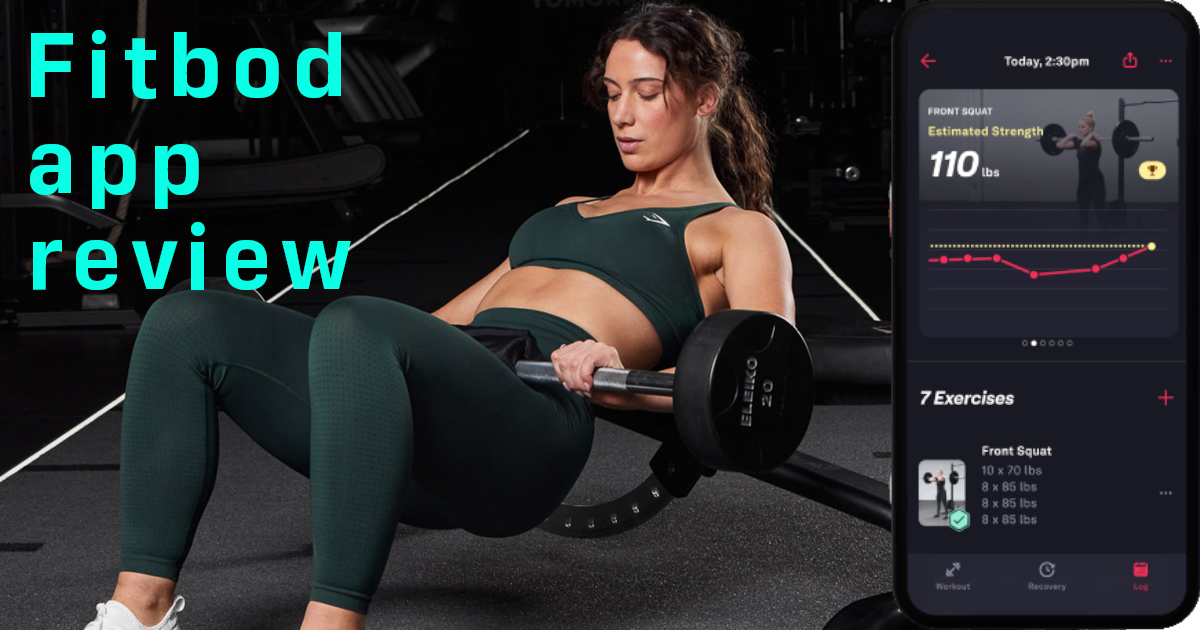
| Fitbod | No: exercises rotate around muscle recovery | Not listed | Yes: from an estimated one-rep max | Not listed | C |
Based on each app's US App Store listing and its own help center or product pages, checked November 2026. "Not listed" means the sources we checked don't describe that feature, not that the app can't do it. Grades are ours and cover progressive overload features only.
GymGod: The Coach Picks Your Next Weight
GymGod is built around the loop that makes you stronger. Its AI coach builds a routine in a few taps that stays consistent, so you're repeating the same lifts and trying to beat them rather than starting over. When you start an exercise, your last weights, reps and goals are already on screen. Auto-progression calculates your next weight from what you actually lifted, with recalibration prompts when the targets need adjusting, and new PRs are caught automatically, with PR history, badges and volume stats.
If you'd rather not use the AI routine, you can run one of 9 popular strength programs with progression and rest times built in, or build your own. There's a full Apple Watch app, no account, and you can import your history from Strong, Hevy or Fitbod so your PRs come with you.
Downsides: the AI coach needs iOS 26 or later, and there's no free plan beyond your first 3 workouts. Price: your first 3 workouts are free, then $3.99 a month, $24.99 a year (with a 1-week free trial) or $59.99 once (pricing).
Does Hevy Do Progressive Overload?
Yes, now it does, but only with Hevy Pro. Hevy announced Hevy Trainer in February 2026. It builds a program from your experience, goal, equipment and schedule, recommends starting weights for exercises you've logged at least once, and makes automatic weight adjustments based on your performance. Hevy's own explanation of the rule: you have to hit the upper end of the rep range on all prescribed sets before Trainer increases the weight. That's classic double progression, and it's a sound way to progress. Trainer also reminds you to push harder if progress stalls, and a Program Variety setting lets you keep the same training, run focused 6-week blocks, or get some exercise changes every week.
Free Hevy is still an excellent log: no ads, unlimited workouts, the previous session's weights and reps next to every exercise, PR graphs and offline logging. But Trainer is the part that picks your next weight, and Hevy lists it as a Pro feature. On the free plan, you're the one deciding when to add weight.
Price: Hevy Pro lists monthly plans at $2.99 and $3.99, $23.99 a year or $74.99 lifetime. Hevy Pro with Trainer is the closest rival to GymGod here, and on a yearly plan it's $1 cheaper. GymGod's edge is that progression is the core of the whole app rather than one mode inside it, the recalibration prompts, a lifetime price $15 lower, and an AI coach that runs on your iPhone. For a deeper look at Hevy against the other big logger, see Hevy vs Strong.
MacroFactor Workouts: Smart, But Pricey and No Watch
MacroFactor Workouts takes progression seriously. Its Smart Progression is rule-based, not generative AI: it looks at the weight and reps you log, your reps-in-reserve (RIR) target, how you did against expectations and your history on that exercise. If you beat the prediction, weight or reps go up; if a set was harder than planned, it can recommend slightly less next time. It also keeps your exercises the same, which is exactly what overload needs. If you train by RIR, our RPE calculator shows how effort maps to load.
The catch is the rest of the package: no free tier, no Apple Watch app, and you can't import your history from other apps. Price: $11.99 a month, $47.99 for six months or $71.99 a year after a 7-day trial. More in our MacroFactor Workouts review.
StrongLifts 5x5: Automatic, But One Program
StrongLifts is the oldest answer to "who picks my next weight?": the app does. It plans every exercise, set and weight for its 3-day-a-week 5x5 barbell program. Complete all your sets and it adds weight next time (5 lb by default; you can change the increment and how often it's added). Fail an exercise three sessions in a row and it deloads by 10%. For a beginner on a barbell, that's hard to beat.
The limit is that it's built around one program. Once linear 5x5 progression stops working, the app's main strength is gone. Price: free to download but a subscription is required to use it: $11.99 a month or $59.99 a year (with a 7-day trial on the yearly plan).
Strong: A Fast Log, You Do the Math
Strong is one of the fastest, cleanest loggers on the App Store, and it's a fine way to track a program you already know. Its Focus Metric compares each exercise against the last time you did it (by volume, reps or weight per rep), a template can be updated with the weights and reps you just used, and the Records screen shows your best lifts at each rep count.
What we couldn't find, in either its App Store listing or its help center, is any feature that suggests or raises your next weight. With Strong, you decide when to add weight. Price: the free plan logs unlimited workouts but caps you at 3 routines; Strong PRO is $4.99 a month, $29.99 a year or $99.99 forever.
Fitbod: It Picks a Weight, But Not the Same Lift
Fitbod does answer the title question. Its weight recommendations come from an estimate of your one-rep max, refined as you log, and the reps in reserve you record change how hard it loads your next session. (Want to see your own estimate? Try our one-rep max calculator.)
The problem for progressive overload is exercise selection. Fitbod scores each muscle's recovery and prioritizes exercises for well-recovered muscles, and its listing says its AI varies exercises. That's great for variety, but it means the same lift doesn't come back on a fixed schedule, so there's no simple "beat last Monday" target. Price: no free version; $15.99 a month or $95.99 a year after a free trial. Our full Fitbod review has more.
The Best App for Progressive Overload: GymGod
Strength comes from repeating the same lifts and beating them, session after session. Score the apps on that and they fall into three groups:
- Logs that leave the decision to you: Strong and free Hevy. Great records, but you still do the math.
- Coaches that change the lifts: Fitbod picks a weight but rotates exercises, so there's less to beat.
- Apps that keep the routine and pick the weight: GymGod, Hevy Pro with Trainer, MacroFactor Workouts and, for one program, StrongLifts.
Within that last group, GymGod has the fewest trade-offs. MacroFactor Workouts costs about three times as much a year and has no Apple Watch app. StrongLifts is one program at $59.99 a year. Hevy's Trainer is genuinely good, but it's an add-on to a social log, and its lifetime plan costs $74.99.
GymGod's AI coach builds the routine and keeps it consistent, puts your last workout on screen, calculates your next weight and catches every PR, on your iPhone and Apple Watch, for $59.99 once or $24.99 a year. Your first 3 workouts are free, and you can import your Strong, Hevy or Fitbod history to try it today. See every GymGod feature.
Frequently Asked Questions
What is a progressive overload app?
It's a workout app with progressive overload built in: it helps you do a little more than last time. A good one keeps your routine stable, shows your last session while you lift, suggests your next weight and flags new personal records.
Does Hevy do progressive overload?
With Hevy Pro, yes. Hevy Trainer, a Pro feature announced in February 2026, adjusts your weights automatically and raises them once you hit the top of the rep range on every set. Free Hevy shows your previous weights and reps, but you decide when to add weight.
Does Strong auto-increase weight?
Not that we could find. Strong's App Store listing and help center don't describe a feature that suggests or raises your next weight. It compares you to your last session (Focus Metric) and can update a template with the weights you just used, but the increase is up to you.
Is there a free progressive overload app?
Free Hevy and Strong's free plan both show you what you lifted before, which is enough to progress manually. Apps that pick your next weight for you charge for it. GymGod's first 3 workouts are free, then it's $3.99 a month, $24.99 a year or $59.99 once.
Can I do progressive overload with a paper log?
Yes. Write down every set and try to beat it next session; add weight once you hit the top of your rep range on every set. Our free weight training log template and printable PDF work well. An app just saves you the flipping back and the arithmetic.
What is the best app for progressive overload?
GymGod. Its AI coach builds a routine that stays consistent, shows your last workout on screen, calculates your next weight automatically and catches PRs, for $3.99 a month, $24.99 a year or $59.99 lifetime.