
Buyer's Guide
The best tracker is the one that tells you what to beat today.
A ranked feature checklist for choosing a weight lifting app, built around progressive overload.
The features that matter most in a weight lifting app tracker are the ones that help you beat your last session: your previous weights and reps on screen when you start an exercise, a routine that stays the same long enough to progress on, and automatic progression that sets your next target. Fast logging, a rest timer and automatic PR tracking come next. Social feeds, huge exercise libraries and fancy charts are nice to have, but they don't add a pound to your squat.
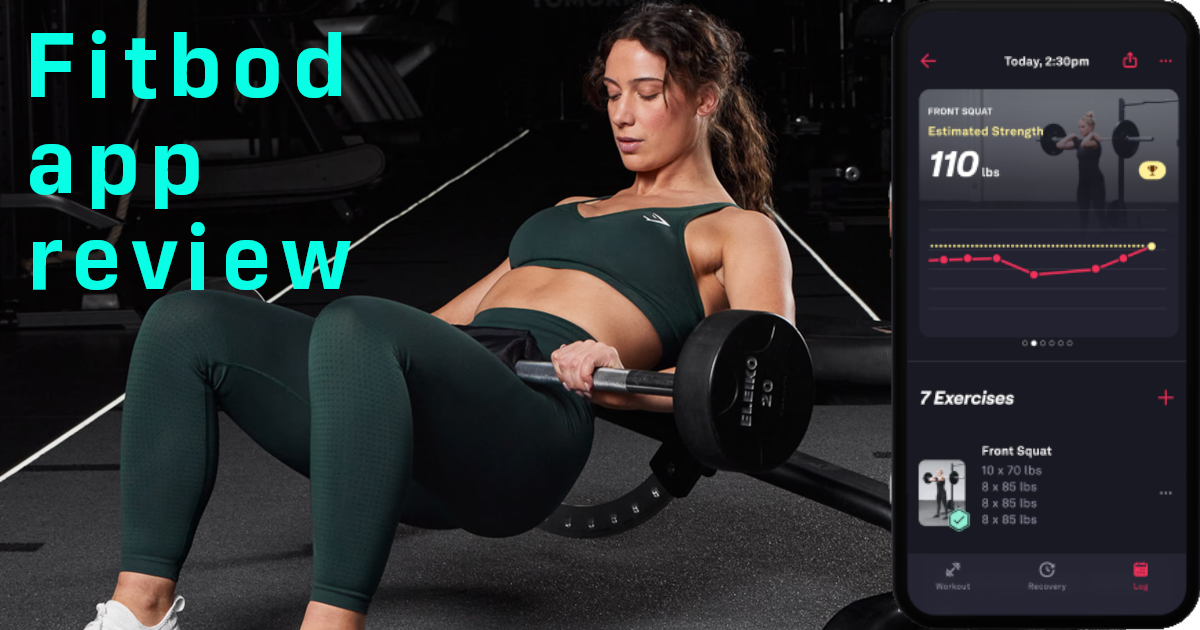
Below is the full checklist, ranked by how much each feature actually helps you get stronger, plus how to match features to your goal, the honest downsides of tracking on your phone, and where GymGod, the app we build, fits in. If you already know the contenders, our Hevy vs Strong comparison and Fitbod review go deeper on individual apps.
What Does a Weight Lifting App Tracker Actually Need to Do?
Strip away the marketing and a lifting tracker has one job: make sure every session moves you a little further than the last one. That principle is called progressive overload, and it is how every proven strength program works. You do the same lifts, week after week, and add a rep or a little weight whenever you can.
Progressive overload has a simple requirement: you have to know what you did last time. Without that number, you guess. You pick a weight that feels about right, stop when it feels hard, and six months later your lifts are roughly where they started. A notebook solves that problem. So does a good app. A bad app, or a good app used badly, does not.
So the test for any feature is one question: does it help me beat last session? We used that question to rank everything below.
What Is a Progressive Overload App?
A progressive overload app is a lifting tracker that does more than record your sets. It plans your next ones. There are roughly three levels:
- A plain log. It records what you lifted. You look up last week's numbers and decide what to do. This works, but all the thinking is yours.
- A log that shows your last session. When you start an exercise, last week's weights and reps are right there. You still decide the next step, but you never walk in blind.
- An app with auto-progression. It shows your last session and calculates your next target from what you actually lifted. You just try to hit the number.
One catch: auto-progression only works if the workouts repeat. An app that hands you a different set of exercises most days can still adjust weights, but it struggles to give you a clean answer to "did I beat last week?" because last week you did something else. Fitbod, for example, says it uses your training history and recovery to recommend the right muscles for each session. That's great for variety and less great for watching your bench press climb. We covered that trade-off in our Fitbod review.
The best progressive overload app combines both halves: a routine that stays consistent, plus progression that is calculated for you.
Weight Lifting Tracker App Features, Ranked
Here is how the common features of a weight lifting tracker app stack up, sorted by how directly they help you lift more next time.
Must-have: these make you stronger
- Last session on screen. The single most useful feature. When you start an exercise you should see what you lifted last time without scrolling through history. If an app makes you dig for it, you'll stop checking.
- A consistent routine. You need the same lifts in the same order often enough to compare them. Whether you build it, pick a proven program or let an app build it for you, it has to stay put for weeks, not hours.
- Auto-progression. The app suggests your next weight or reps based on your last performance. This removes the most common beginner and intermediate mistake: sticking with the same comfortable weight for months.
- Fast logging. If logging a set takes more than a couple of taps, you'll skip it. In one US survey of people who quit health apps, 44.5% said data entry took too much time (see our fitness app statistics). Speed is a strength feature, because a log you don't keep can't help you.
Strong nice-to-haves: these help you stay on track
- Automatic PR detection. Seeing a new personal record flagged the moment it happens is motivating, and a PR history shows progress that is too slow to notice week to week.
- Rest timer. Rest affects how much you can lift on the next set. A timer that starts on its own keeps your sessions comparable and stops a 2-minute rest turning into 6. More on that in why your rest times are too long.
- Built-in programs. If you don't want to design your own routine, proven programs with progression built in save you from guesswork.
- Watch app. Logging from your wrist keeps your phone in your pocket, which helps with focus and with gym etiquette.
- Data export and import. You should be able to take your history with you. Years of logs are worth more than any single app.
- Exercise instructions. Useful when you're learning a movement, less so once you know it.
Skip (or don't pay extra for): these rarely add strength
- A new workout every session. Variety feels fun but makes progress hard to measure. It suits general fitness more than getting stronger.
- A giant exercise count. A library of hundreds of exercises looks impressive, but most strength programs are built on a handful of main lifts. What matters is that your lifts are there and you can add custom ones.
- Social feeds and leaderboards. Some people love them, and Hevy's feed is the best example of one done well. If accountability from friends keeps you training, great. If it turns your rest periods into scrolling sessions, it costs you.
- Endless charts. One progress graph per lift is plenty. Ten dashboards you never open aren't worth a higher tier.
The Gym Tracker App Checklist
Take this into the App Store with you. A good gym tracker app should get a yes on the first six.
Weight Lifting App Checklist
- Shows my last weights and reps the moment I start an exercise
- Keeps my routine consistent so I can compare week to week
- Calculates my next weight (auto-progression)
- Logs a set in a couple of taps
- Catches PRs automatically
- Lets me export my data and import my old history
- Has a rest timer that starts on its own
- Works on my watch, if I wear one
- Costs a price I'll still be happy paying in a year
- Doesn't need an account or my personal data to work
Match the Features to Your Goal
The ranking above is built for getting stronger, which is what most people downloading a lifting app want. Your priorities shift a little depending on the goal.
Getting stronger
Consistency beats everything. Look for a fixed routine or proven program, your last session on screen and auto-progression on the big lifts. Rest timers matter more here, because heavy sets need full rest. See how fast you can gain strength for realistic targets.
Building muscle
You still need progressive overload, just across more exercises and rep ranges. Progression on reps as well as weight, easy supersets and volume totals help. Progress photos are handy, since the mirror lies week to week. Our guide to building muscle vs getting stronger explains the difference.
General fitness
If you mainly want to show up and move, an app that tells you what to do matters more than precise progression. But a repeatable routine still beats random workouts, because it lets you see that you are improving, which keeps you coming back.
Beginners
You want the app to make decisions for you: a routine built for you, exercise instructions and auto-progression, so you don't have to know what "add 5 pounds when you hit the top of the rep range" means yet. Beginners progress fastest, so a tracker pays off quickly. Start with a full body workout routine.
The Honest Downsides of Any Lifting App
An app is a tool, not a requirement. Before you pay for one, know the trade-offs.
- Your phone comes to the gym. Every time you unlock it, notifications are waiting. A watch app helps, and so does putting your phone on do not disturb for the session.
- Subscription fatigue. Fitness apps add up. In the same survey, 36.1% of people who quit health apps blamed hidden costs. Look for a clear price, and if you know you'll keep lifting, a one-time lifetime option usually wins over a few years.
- Data lock-in. If an app won't export your history, you're stuck with it or you start over. Check for CSV export before you log your first set.
- Most people quit. In Apptopia's data, the top health and fitness apps kept only about 6% to 9% of new users after 30 days. The app doesn't do the training. You do.
- Paper still works. A notebook has no battery, no subscription and no notifications. If you enjoy writing things down, our free printable weight training log and 12-week progress tracker will do the job. See our weight training log template guide and paper vs digital workout planner for the full comparison. What paper can't do is calculate your next weight or flag a PR for you.
And an app is not a coach in the full sense. It won't watch your form or notice you're sleeping badly. If you need that, read fitness plan apps vs a personal trainer first.
How Popular Apps Handle Progression
You don't need a giant comparison table to choose. You need to know how each app answers the question at the top of this page: what do I lift today?
- Strong is a fast, simple logger with a clean interface, and it's very good at recording what you did. Its App Store listing describes PR and progression stats, plate and warm-up calculators, but not suggested next weights, so deciding what to lift is up to you. Strong PRO costs $4.99 a month, $29.99 a year or $99.99 for "PRO Forever".
- Hevy has a generous free log that shows your previous session, plus the best social feed of the bunch. Its automatic weight progression lives in Hevy Trainer, which is part of Hevy Pro ($3.99 a month, $23.99 a year or $74.99 lifetime). Hevy also requires an account, and your workouts live on its servers.
- Fitbod builds each session for you based on your goals, equipment and recovery, which is great for variety but makes week-to-week comparisons harder. It's also the priciest of the three at $15.99 a month or $95.99 a year.
US App Store prices and listings, checked October 21, 2026. Some apps also list older, cheaper plans for existing subscribers.
Where GymGod Fits
We built GymGod around the must-have list above, because that's what we wanted in the gym ourselves. Here is how it answers the checklist.
- A routine that stays consistent. GymGod's AI coach builds a routine for you in a few taps, designed to stay consistent so you can progressively overload instead of starting over. Or run one of 9 proven programs with progression and rest times built in, or build your own with drag and drop.
- Your last session on screen. Your last weights, reps and goals appear the moment you start an exercise. No scrolling, no guessing.
- Auto-progression. Your next weight is already calculated. Targets rise from what you actually lifted, with recalibration prompts when you need them.
- PRs caught automatically. New personal records are detected instantly, with full PR history, achievement badges and total volume stats.
- Coaching from your own history. Tips based on what you've actually lifted and a recap after every workout showing what you did and where you improved. The coach runs privately on your iPhone, with no cloud AI (iOS 26 or later).
- Built for the gym floor. A rest timer that starts automatically, an Apple Watch app for logging from your wrist, Lock Screen and Dynamic Island updates, and 178 exercises with form guidance, plus custom exercises.
- Your data stays yours. No account, no email, no password. Your data syncs through your own iCloud, you can export your workouts anytime as a Strong-format CSV, and you can import your history from Strong, Hevy or Fitbod, so you keep every PR you've already earned.
Against the apps above, the difference is the combination. Strong logs beautifully but doesn't suggest your next weight. Fitbod plans for you but keeps changing the plan. Hevy gets you auto-progression on its Pro tier, but with an account and a $74.99 lifetime price. GymGod gives you the consistent routine, the number to beat and the next target in one app, with no account at all.
And the price is simple. Your first 3 workouts are free, with no payment prompt and no account. After that it's $3.99 a month, $24.99 a year (with a 1-week free trial after your first 3 workouts) or $59.99 once for lifetime access. Every plan includes full app access, the AI coach and no ads. That lifetime price is lower than Hevy's ($74.99) and Strong's ($99.99), and the monthly price is a quarter of Fitbod's.
Walk into every session knowing exactly what to beat.
Your first 3 workouts are free. No account, no setup.
See every GymGod featureWhatever you choose, give it at least eight weeks on the same routine before you judge it. Want a starting weight? Use the one rep max calculator. Already logging and still stuck? Take the What's Blocking Your Gains quiz.
Weight Lifting App Tracker FAQ
What is the most important feature in a weight lifting app tracker?
Seeing your last session's weights and reps the moment you start an exercise. Progressive overload depends on knowing exactly what you did last time, so an app that puts that number in front of you does more for your strength than any other feature.
What is a progressive overload app?
A progressive overload app is a workout tracker that plans your next step instead of only recording sets. It shows what you lifted last time and uses auto-progression to calculate your next weight or reps, ideally on a routine that stays consistent so you can compare sessions.
Do I need auto-progression, or can I progress on my own?
You can progress on your own with any log, including paper, if you check your last numbers and add a rep or a little weight each time. Auto-progression removes the guesswork and the temptation to stay at a comfortable weight, which is why it helps beginners and busy lifters most.
Are apps that generate a new workout every day good for strength?
They are good for variety and general fitness, but less good for strength. Getting stronger means repeating the same lifts and beating your numbers, and a workout that changes every session makes that comparison harder.
Is a free gym tracker app good enough?
A free log that shows your past workouts is enough if you are happy to plan your own progression. Free versions usually limit routines or features, and auto-progression is often a paid feature. A paper log is free too and works well if you will actually use it.
How much does a weight lifting tracker app cost?
In the US App Store in October 2026, Strong PRO costs $4.99 a month, Hevy Pro $3.99 a month and Fitbod $15.99 a month. GymGod gives you your first 3 workouts free, then costs $3.99 a month, $24.99 a year or $59.99 once for lifetime access.